hotpath Cloud - Performance regression feedback for developers and AI agents
hotpath Cloud turns hotpath-rs profiling data into automated PR performance checks. It analyzes performance signals and helps developers and coding agents detect meaningful regressions before they are merged.
Open beta: free to use. Public repositories will remain free after beta. See Pricing.
To get started, log in at hotpath.rs/app. The hotpath-rs GitHub App asks for minimal permissions: no access to your code, only pull request write access to post comments, and checks to optionally report the status of each benchmark. The only data it gets from your CI is the benchmark reports your workflow uploads.
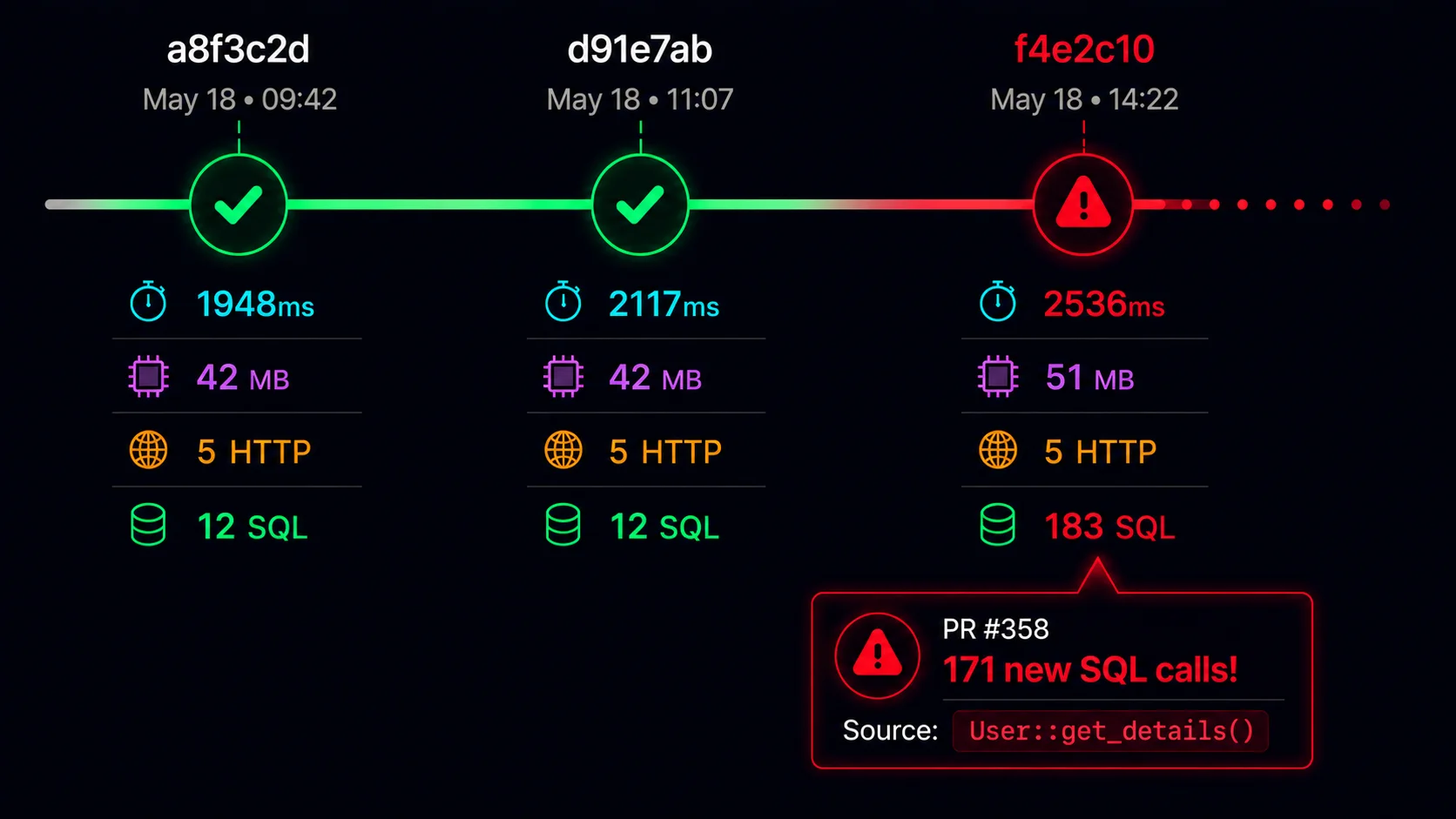
The GitHub Actions integration compares benchmark results against a baseline and posts a PR comment whenever a significant regression or improvement is detected:
You can define acceptable regression thresholds using a customizable regression policy and set fine-tuned performance budgets. This helps eliminate noisy alerts and ensures that warnings are emitted only when performance changes in a meaningful way.
# hotpath/policy.toml (excerpt)
# Flag a function whose allocations grow by 20% or more
[functions.alloc]
judged = true
min_percent_change = 20
metrics = ["avg", "total"]
# The hot path must never allocate, whatever the baseline did
[[functions.budgets]]
match = "my_crate::router::route"
alloc = { total = "0 B" }
message = "route() is on the hot path and must not allocate"
# Prevent N+1 calls: at most 5 SQL queries per request, on every route
[[server.budgets]]
match = "*"
timing = { sql_per_request = 5 }
message = "too many SQL queries per request, check for N+1 calls"
The hotpath cloud CLI and dedicated AI skill bring the same feedback loop to coding agents. Agents can analyze benchmark results, identify regressions, and use the profiling data to guide performance optimization:
Benchmark reports are persisted in hotpath Cloud, making it easy to share results with your team and compare each report against its baseline:
Getting Started
hotpath Cloud supports hotpath version 0.28 or newer.
AI Setup (Recommended)
The quickest way to set up hotpath Cloud is to let your own AI coding agent do it. Install the hotpath CLI and run init-ci inside your project repo:
cargo install hotpath --version '^0.28'
hotpath init-ci --agent claude # or --agent codex / --agent opencode
hotpath init-ci downloads the hotpath_init_ci agent skill from GitHub and starts your installed Claude Code, Codex or OpenCode with it as setup instructions. The agent adds the hotpath-cloud feature, a regression policy file and a GitHub Actions benchmark workflow, so every pull request gets a performance comment.
Use --forks for public repositories that want to benchmark pull requests from forks. Fork pull requests need a separate setup for security reasons:
hotpath init-ci --agent claude --forks
For private repositories, or if you don’t need benchmarks on pull requests from forks, run hotpath init-ci without --forks.
Your agent remains in control: you review and approve edits through its regular permission prompts. Requires curl and the claude, codex or opencode CLI on PATH.
Manual setup
Follow the CI integration guide to add the benchmark workflow by hand.
Pricing
hotpath Cloud is free during the open beta. Public repositories will remain free. Paid plans for private repositories and optional features will be introduced later.