Rust async monitoring: Futures, Streams and Channels performance
hotpath lets you monitor Rust channels performance in real time - alongside streams and futures. Track channel throughput, queue depth, identify slow consumers, monitor futures resolution, and discover bottlenecks while your system is running. With minimal instrumentation, you can get a clear picture of how data moves through your app’s async pipeline.
All monitoring macros (channel!, stream!, future! and future_fn) are noop unless hotpath feature is activated.
Channels monitoring
hotpath::channel! macro wraps channel creation to automatically track performance metrics and data flow:
use tokio::sync::mpsc;

#[tokio::main]
#[hotpath::main]
async fn main() {
    // Create and instrument a channel in one step
    let (tx, mut rx) = hotpath::channel!(mpsc::channel::<String>(100));

    // Use the channel exactly as before
    tx.send("Hello".to_string()).await.unwrap();
    let msg = rx.recv().await.unwrap();
}
Wrapped channel types
channel! does not return the endpoints you passed in - it returns instrumented wrappers around them. The macro expands to a different type than the original:
// before: a plain crossbeam receiver
let (tx, rx): (crossbeam_channel::Sender<i32>, crossbeam_channel::Receiver<i32>) =
    crossbeam_channel::unbounded();

// after: the macro returns hotpath wrappers, not crossbeam_channel::Sender/Receiver
let (tx, rx) = hotpath::channel!(crossbeam_channel::unbounded::<i32>());
At a let binding this is invisible - type inference picks up whatever the macro returns. It only matters when you need to name the type, for example a struct field or a function signature. There you cannot write crossbeam_channel::Sender<T>, because the value is a wrapper, not a crossbeam_channel::Sender.
Use the hotpath::wrap:: path instead. It mirrors the original module layout, so you prefix the original path with hotpath::wrap:::
// before
struct Pipeline {
    jobs_tx: crossbeam_channel::Sender<Job>,
    jobs_rx: crossbeam_channel::Receiver<Job>,
}

// after - prefix the type with hotpath::wrap::
struct Pipeline {
    jobs_tx: hotpath::wrap::crossbeam_channel::Sender<Job>,
    jobs_rx: hotpath::wrap::crossbeam_channel::Receiver<Job>,
}
The same prefix works for every wrap-capable library:
hotpath::wrap::std::sync::mpsc::{Sender, SyncSender, Receiver}hotpath::wrap::tokio::sync::mpsc::{Sender, Receiver, UnboundedSender, UnboundedReceiver}hotpath::wrap::tokio::sync::oneshot::{Sender, Receiver}hotpath::wrap::crossbeam_channel::{Sender, Receiver}hotpath::wrap::flume::{Sender, Receiver}hotpath::wrap::async_channel::{Sender, Receiver}hotpath::wrap::futures_channel::mpsc::{Sender, Receiver, UnboundedSender, UnboundedReceiver}hotpath::wrap::futures_channel::oneshot::{Sender, Receiver}
This is purely to keep the compiler police happy: the hotpath::wrap:: types are noop unless the hotpath feature is enabled. With the feature off they are plain re-exports of the original endpoints (zero overhead, identical behavior); with the feature on they resolve to the instrumented wrappers. Either way the field type lines up with what the macro returns, so the same code compiles in both configurations.
Supported channel libraries
std::sync channels can be instrumented by default. Enable the matching feature flag for each third-party library.
std
Built-in, no feature flag required.
Tokio
Enable the tokio feature.
futures-rs
Enable the futures feature.
async-channel
Enable the async-channel feature.
crossbeam
Enable the crossbeam feature.
flume
Enable the flume feature.
Optional config
// Custom label for easier identification in TUI
let (tx, rx) = hotpath::channel!(mpsc::channel::<String>(100), label = "worker_queue");

// Enable message logging (requires std::fmt::Debug trait on message type)
let (tx, rx) = hotpath::channel!(mpsc::channel::<String>(100), log = true);

// One entry per channel instance instead of per call site
let (tx, rx) = hotpath::channel!(mpsc::channel::<String>(100), iter = true);
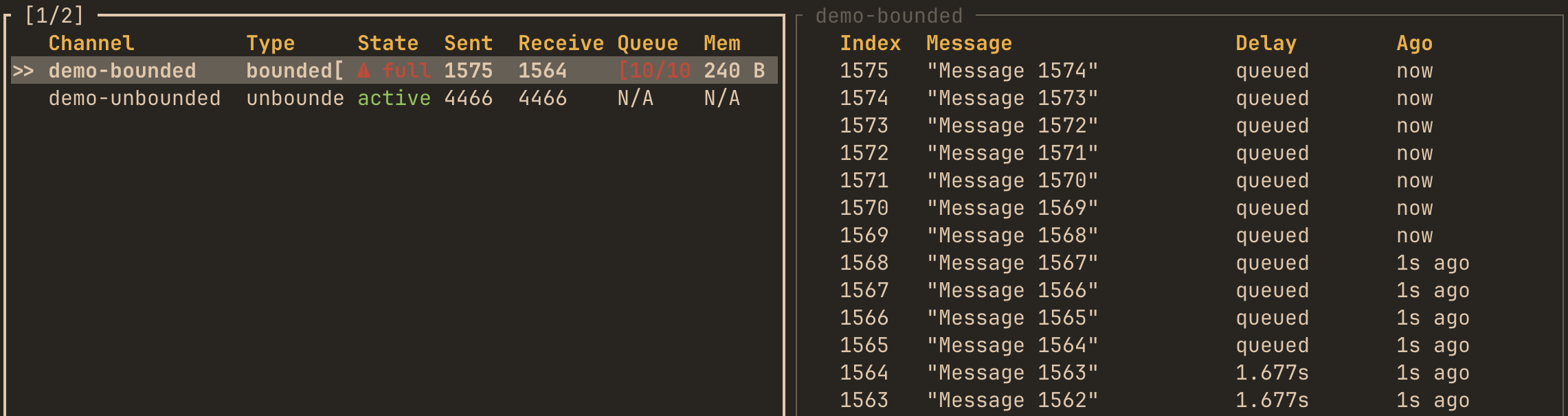
Label channels to display them on top of the list. By passing log = true TUI will display messages that a channel received.
Literal labels must be unique per resource kind within a crate: two channel! sites sharing label = "worker_queue" fail cargo build/test/run with symbol `__hotpath_unique_channel_worker_5fqueue_<crate hash>` is already defined (cargo check does not report it). The same label on a channel and, say, a mutex is fine, and labels passed as runtime expressions are not checked. The same rule applies to stream! and future! below.
Call-site aggregation and iter = true
By default all channels created at one channel! call site (with the same message type) accumulate into a single entry. Counts and the latency histogram are summed across instances, and the Inst column reports how many instances the entry aggregates, so profiler state stays bounded even when a call site creates a channel per handled request. The first registration’s label and channel kind/capacity win. Aggregated entries show - for state - their instances open and close independently, so no single Active/Closed flag applies; the Inst count carries the lifecycle information instead.
Semantics of the aggregated columns:
- Sent/s, Recv/s - aggregate call-site throughput: total messages divided by elapsed time since the call site’s first message. This is a lifetime average, so bursty call sites read lower than their in-burst throughput.
- Queue / Max queue - combined in-flight depth across live instances, and its peak; messages left unconsumed in a fully closed instance are subtracted. With a single instance both keep their exact per-channel meaning.
- Logs (
log = true) - one log window per call site: messages from all instances interleave. Message ids are drawn from one per-call-site sequence, so send/receive log pairing stays exact.
Pass iter = true to get one entry per channel instance instead, displayed with suffixed labels (label, label-2, label-3, …) - e.g. one row per spawned worker with its individual counts and rate. Profiler state then grows with the number of channels ever created, so prefer the default aggregation for call sites with unbounded instance churn.
Capacity parameter requirement
Bounded std::sync::mpsc and bounded futures_channel::mpsc channels require an explicit capacity, and the value must match the constructor argument:
use std::sync::mpsc;

// std bounded - capacity MUST equal the sync_channel argument
let (tx, rx) = hotpath::channel!(mpsc::sync_channel::<String>(100), capacity = 100);

// futures bounded - same rule
let (tx, rx) = hotpath::channel!(futures_channel::mpsc::channel::<String>(100), capacity = 100);
The wrapper rebuilds the inner channel from capacity (neither library exposes a way to read it back from the endpoints) and discards the channel you constructed. If the two disagree - e.g. sync_channel(100) with capacity = 1 - the profiled build gets a different bound than the unprofiled one (where channel! returns your original channel untouched), which can change backpressure or even deadlock only when profiling is enabled. Keep the numbers equal.
Tokio, crossbeam, flume, and async-channel recover the bound from the endpoint, so they need no capacity argument.
futures_channel::mpsc has one more wrinkle: its TrySendError has no public constructor, so try_send / unbounded_send on the wrappers return hotpath::wrap::futures_channel::mpsc::TrySendError, a stand-in with the same methods (is_full, is_disconnected, into_inner, into_send_error). Sink errors are the plain futures SendError.
Streams monitoring
stream! macro
This macro instruments async streams to track performance metrics and items yielded:
use futures::stream::{self, StreamExt};

#[tokio::main]
#[hotpath::main]
async fn main() {
    // Create and instrument a stream in one step
    let s = hotpath::stream!(stream::iter(1..=100));

    // Use it normally
    let items: Vec<_> = s.collect().await;
}
Optional config
// Custom label
let s = hotpath::stream!(stream::iter(1..=100), label = "data_stream");

// Enable item logging (requires std::fmt::Debug trait on item type)
let s = hotpath::stream!(stream::iter(1..=100), log = true);

// One entry per stream instance instead of per call site
let s = hotpath::stream!(stream::iter(1..=100), iter = true);
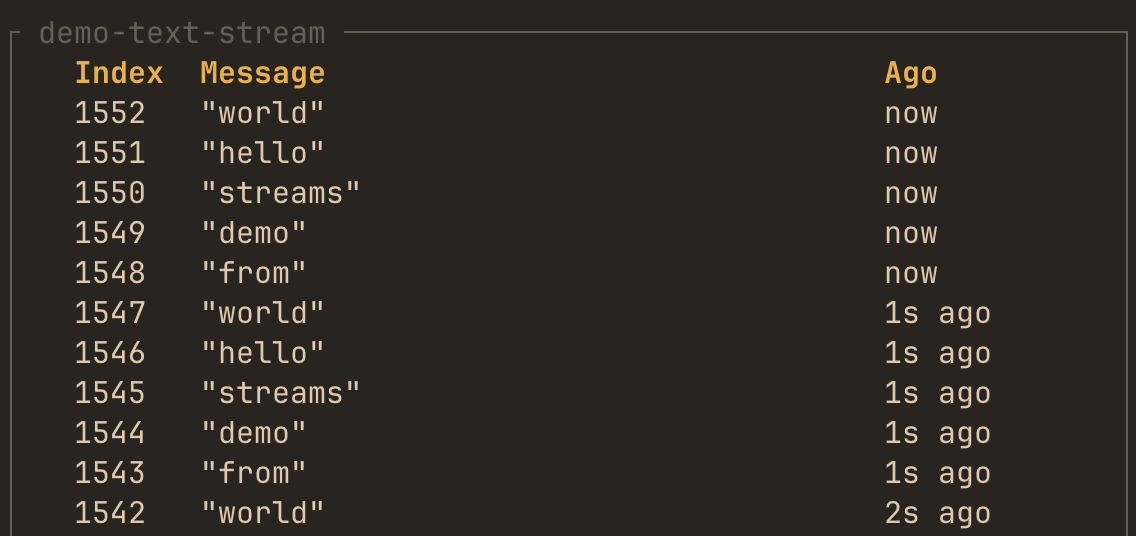
Label streams to display them on top of the list. By passing log = true TUI will display values that a stream yielded.
Like channels, streams aggregate by call site by default: all streams created at one stream! call (with the same item type) share a single entry with summed items_yielded and an Inst instance count (aggregated entries show - for state). Pass iter = true for one suffixed entry per instance - profiler state then grows with the number of streams ever created.
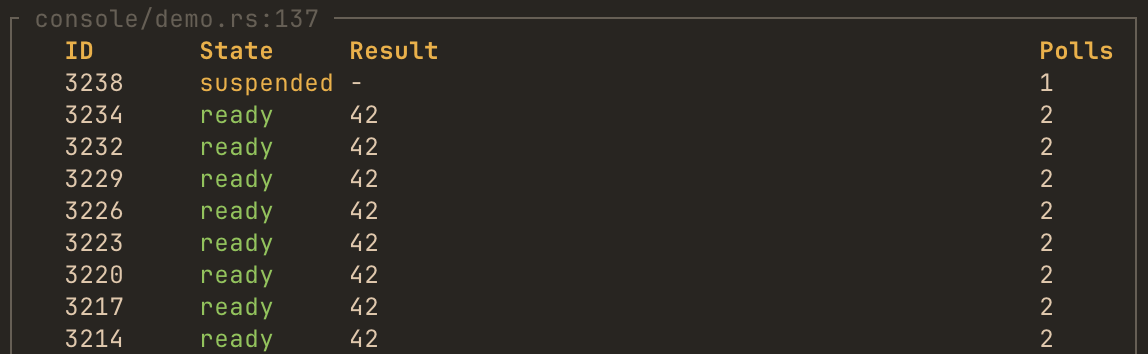
Futures monitoring
future! and future_fn macros
The future! macro and #[future_fn] attribute instrument any async function or piece of code or to track poll counts and future lifecycle:
#[tokio::main]
#[hotpath::main]
async fn main() {
    // Instrument a future expression
    let result = hotpath::future!(async { 42 }, log = true).await;

    instrumented_fetch().await;
}

// Or use the attribute on async functions
#[hotpath::future_fn(log = true)]
async fn instrumented_fetch() -> Vec<u8> {
    vec![1, 2, 3]
}
Optional config
// Custom label for easier identification in TUI
let result = hotpath::future!(async { 42 }, label = "my_future").await;

// Enable output logging (requires std::fmt::Debug trait on output type)
let result = hotpath::future!(async { 42 }, log = true).await;
Label futures to display them on top of the list. By passing log = true TUI will display values that future resolved to: